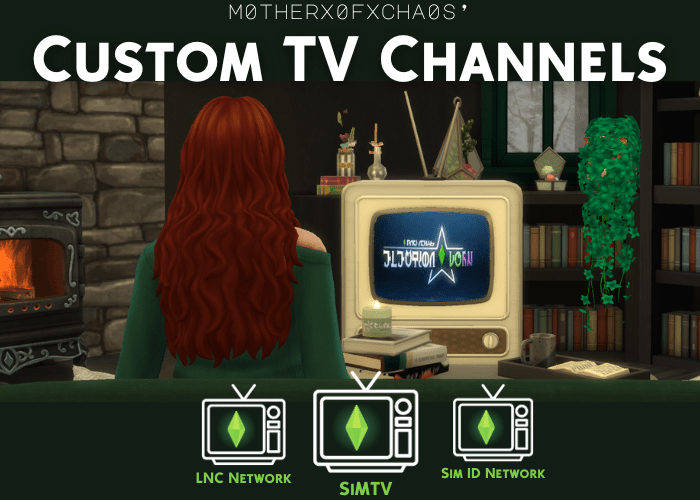
Add New TV Channels to the Sims 4 & Gain Skills!
Introducing m0therx0fxcha0s’ custom TV channels – a new and exciting way to entertain and educate your Sims! With these unique channels, your Sims can gain skills and relax simultaneously. Dive into the captivating world of true crime, where your Sims can immerse themselves in thrilling mysteries and crime-solving adventures. Watch music videos on the dedicated music channel, featuring a wide range of genres and artists to satisfy every musical taste. And for some late-night laughs, tune in to the comedy channel, filled with hilarious stand-up acts and hilarious sitcoms. Get ready for endless fun and entertainment with m0therx0fxcha0s’ custom TV channels – a must-have addition for any Sims household!
Sim ID Network
Tune in to the Sim ID Network to stimulate your curiosity and enhance your Sim’s problem-solving abilities! Watching these gripping programs will not only entertain your Sim, but also help your Sim develop the Research and Debate skill.
SiMTV
Sing along with emerging music artists and stay updated on the hottest hits with SiMTV. By watching this channel, your Sim will develop their singing skills and become a singing virtuoso.
LNC Network
LNC Network is a comedic channel that guarantees late-night laughter. It is available exclusively from 11:00 PM to 5:00 AM, providing a perfect way to unwind before bed. Not only will your Sim enjoy a good time, but your Sim will also gain the comedy skill, enhancing their ability to entertain others with jokes and funny antics. Get ready for a hilarious night of entertainment with LNC Network!
Requirements, Instructions, and Downloads
For the Custom Channel Mods to work, they require Lot51’s Custom Channel Injector and Core Library. Click on the link and download per the mod’s instructions before using the Custom Channel Mods.
REQUIRED GAME PACKS BY CHANNEL
Below is a list of channels and the game packs they require.
Sim ID Network
- City Living
- Discover University
LNC Network
- Base Game
SiMTV
- City Living
Installation Instructions
Follow these steps to properly install the Custom Channel Mods:
1. Ensure you have the required game packs.
2. Download the required mod listed per the mod’s instructions.
3. Download the file.
4. Right click and unzip the folder.
5. Move the package file in the unzipped folder directly to your Mods folder.
For more help installing mods, check out my guide here.
Download Links
All my mods are available for download for free on Curseforge. You can use the app or follow the links below to download each channel in your web browser.
🔗 Sim ID Network 🔗 LNC Network 🔗 SiMTV








 m0therx0fxcha0s